Published: Dec 18, 2025 | Updated: Apr 5, 2026

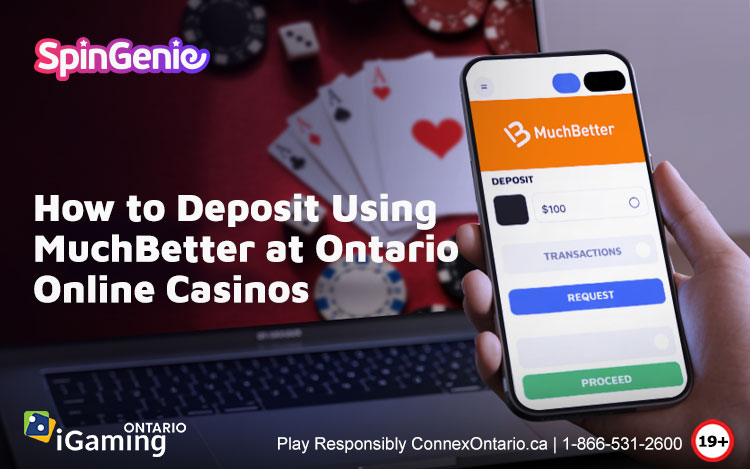
Getting set up to enjoy Ontario’s online casino offerings begins with choosing payment options that are easy, clear, and secure. When you deposit using MuchBetter Ontario at an online casino, you tap into a digital wallet designed for simplicity and control, helping you focus on your entertainment experience. In this guide we walk through how MuchBetter works step by step and place it in the broader context of trusted casino online payment methods, so you can feel confident managing your funds responsibly and safely.
Understanding MuchBetter in the Ontario iGaming Scene
Ontario’s regulated online gaming market supports a variety of payment options for deposits and withdrawals, from traditional cards to modern e-wallets and digital wallets like MuchBetter. Each option comes with its own process and set of requirements, and understanding how these work helps you make informed decisions about your play.
Digital wallets in particular are popular because they store your funds in one place, and let you move money between your bank and casinos without having to enter card numbers at every site. This approach enhances privacy and often simplifies repeat transactions.
What Is MuchBetter?
MuchBetter is a mobile-focused digital wallet that lets users store funds, manage transactions, and pay merchants or platforms that accept it, including many online casinos geared toward Ontario players. The app connects to your bank or card, and you control spending straight from your phone.
Using a dedicated wallet like MuchBetter means you do not disclose your actual card numbers to every merchant. It also can help with budgeting, because your funds in MuchBetter are separate from your everyday bank account, encouraging you to allocate a set amount for play and stick to what you can afford to lose.
Setting Up Your MuchBetter Account
Download and Register
To begin, download the MuchBetter app on your smartphone, compatible with either iOS or Android devices. Follow the registration prompts, which usually include providing your email, creating a secure password, and verifying your identity. This verification might involve uploading an ID or confirming details with your bank, but these steps help ensure your account is protected.
After setting up, link a funding source, such as a debit card or bank account. Always make sure you choose sources you are comfortable using for discretionary spending, and remember that only wager what you can afford to lose.
Funding Your Wallet
Once your account is live, add funds to your MuchBetter wallet. You decide how much to transfer from your bank or card, helping you control how much money you direct to online entertainment. Budgeting in this way encourages healthier payment habits and reduces the risk of overspending.
How to Deposit Using MuchBetter at Ontario Online Casinos
Step-by-Step Guide
1. Choose a Casino That Accepts MuchBetter
Check that your chosen site supports this digital wallet. Many reputable operators list MuchBetter among accepted deposit methods. If you are exploring options, our guide to muchbetter ontario casinos shows platforms that include this payment choice.
2. Log Into Your Casino Account
Access your account with your username and password. Remember to keep this information secure and never share it with others.
3. Visit the Cashier or Banking Section
Navigate to the area of the site where payments are made. You will see a list of payment options.
4. Select MuchBetter
Click on MuchBetter as your deposit method. Enter how much you want to move into your casino account, staying within the limits you set for your play budget.
5. Confirm Through the App
At this step you will likely be asked to open the MuchBetter app or confirm the transaction in your wallet. Follow the in-app prompts to approve the payment.
6. Wait for Deposit Confirmation
Usually funds appear in your casino account quickly once approved. If you do not see the deposit right away, check your wallet app or casino help section.
Being money-wise means reviewing your balance and sticking to limits that work for you, as online play should be an entertainment choice and not impact essential funds.
Exploring Other MuchBetter Features
Security and Controls
MuchBetter uses multiple verification and authentication methods to keep your money secure, such as biometric login and device pairing. This protective approach keeps your wallet and linked banking details safer while you focus on your entertainment.
Always enable app security options and monitor transactions regularly to spot anything that seems unfamiliar. Checking activity routinely helps you stay in control and take breaks when needed.
Spending Limits
Within the MuchBetter app you can set your own transfer and spending limits. These self imposed limits can support responsible habits by helping you decide in advance how much you intend to allocate for play. Keeping gaming as a pastime rather than a priority means respecting your own limits and reviewing them often as your situation changes.
Withdrawing Funds When You Use MuchBetter
Not all casinos that let you deposit with a method also offer it for withdrawals, so check the banking or cashier pages before signing up. When withdrawals are offered, you can withdraw with MuchBetter Ontario back into your digital wallet, and then move the funds to your bank.
Withdrawal times vary by casino and processing queues, so maintain a realistic expectation about timing. Planning ahead prevents frustration and encourages you to take regular breaks rather than rushing transactions.
Comparing MuchBetter to Other Payment Options
Ontario players have a growing list of payment choices, and each brings its own strengths.
Traditional Card Payments
Debit and credit cards are often supported but require entering card details directly on the casino site. With debit cards, transactions come directly from your bank account, which can help with budgeting if you monitor your balance. Using credit for online casinos is generally discouraged because it can complicate financial management.
Other Digital Wallets
E-wallets aside from MuchBetter also exist, and each has its own app or ecosystem. Some players choose based on ease of use, fees, or personal preference. Regardless of the wallet you pick, secure your login information and monitor funds so spending stays within your planned limits.
Prepaid and Bank Transfers
Options like prepaid cards help you load a fixed amount and spend within that limit, offering another route to control play funds. Bank transfers move money directly between institutions without a wallet, but they may be slower or require more steps.
Before committing, explore the many casino online payment methods available so you find choices that match your comfort level and lifestyle.
Frequently Asked Questions About MuchBetter Deposits
Does MuchBetter Charge Fees?
Some transactions may have fees depending on your country’s banking environment or casino terms. Check the fee schedule in your app and at the casino site to understand any costs so you can make choices that match your preferences.
Can I Use MuchBetter on Multiple Casinos?
Yes, you can typically use MuchBetter at more than one casino that supports the method. Always keep track of where you have accounts and manage passwords securely.
What If I Change My Mind After Funding My Wallet?
Once funds are in your MuchBetter wallet, you can often transfer them back to your bank before sending them to a casino. Review the app’s process and any associated timeframes so you know what to expect.
Conclusion
Learning how to deposit using MuchBetter at Ontario online casinos opens up a convenient and secure way to manage your entertainment spending. With clear steps from setting up your wallet to confirming deposits, this method can fit well among the many casino online payment methods available to you.
For a positive experience backed by a range of deposit and withdrawal choices, consider the offerings at Spin Genie and take time to explore the many ways you can manage your funds responsibly.